
Lumary
Shenzhen Lingke Technology Co., Ltd.House & Home
4.6386.00 Reviews
- Version
- 1.8.8
- Installs
- 100.00K
- Age Rating
- Everyone
Screenshots

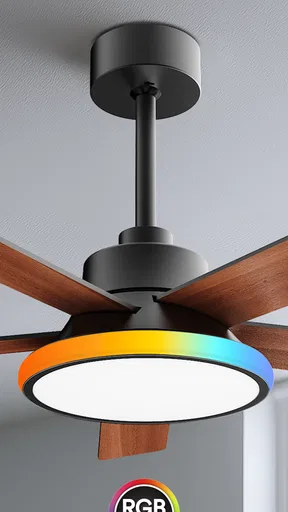

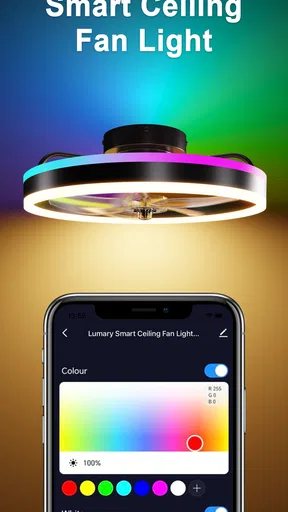
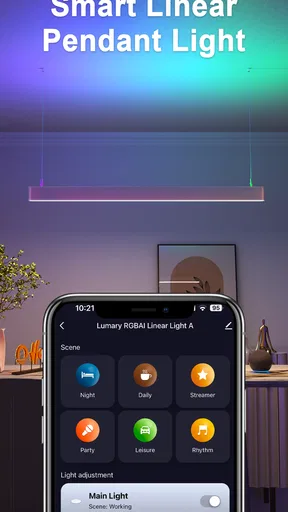


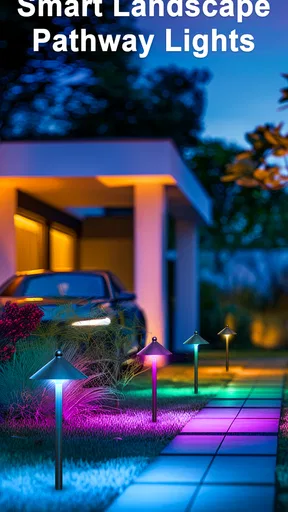
Our Review of Lumary
 Analysis by Appyee
I came away from Lumary with the impression that it is best understood as a practical starting point for a smarter home, rather than a complete answer to every smart-home problem. It belongs to the House & Home category, is free to use, and carries an Everyone age rating, so it is easy to approach if you want to explore connected-home control without committing to a paid app first. My main recommendation is simple: if you already use Lumary-compatible lighting or home products, this app is worth trying; if you are looking for one universal control center for devices from many unrelated brands, I would be more cautious.
The app comes from Shenzhen Lingke Technology Co., Ltd., and its short store description is simply “Lumary,” while the broader summary promises “Let there be smart.” That minimal presentation tells me little by itself, so the useful question is how well the app fits into an ordinary routine. In my view, its value depends less on novelty and more on whether it makes repeated home tasks feel quicker and less scattered.
How Lumary fits into everyday home control
The most convincing use case is a home where lighting or other compatible equipment is already part of the daily rhythm. Think of coming home with your hands full, preparing a room for a film, winding down before bed, or adjusting the atmosphere without walking from room to room. An app such as this can make those small actions more deliberate: instead of treating each light as an isolated switch, you can approach the room as a set of routines.
I would not judge Lumary by whether it replaces every physical control. A wall switch remains faster in some moments, especially when a phone is out of reach or another person wants to change a light without opening an app. The stronger argument for Lumary is convenience across changing situations. A phone-based control layer is useful when you want to manage several compatible items from one place, make a change while seated, or prepare a room before you enter it.
That distinction matters because smart-home applications often sound more capable than they feel. Lumary’s appeal is not the phrase “smart home” on its own. It is the possibility of turning repeated actions into a more consistent routine. If you only need to turn one lamp on and off, a normal switch may remain the simpler choice. If you regularly adjust several connected products, the app has a clearer reason to exist.
The strongest part is the routine mindset
What I like most is the way Lumary encourages me to think in terms of situations rather than individual devices. A bedroom light is not merely a bulb; it is part of waking up, reading, resting, and leaving the house. A living-room light can serve different purposes depending on the time and activity. Even without treating the app as an elaborate automation platform, this way of organizing home control can reduce the number of tiny decisions I make every day.
A useful workflow is to begin with the moments that happen repeatedly, not with every option visible in the app. I would first identify the lighting changes I perform most often, then keep the setup centered on those. This avoids the common smart-home trap of creating a complicated arrangement that looks impressive but is annoying to maintain. The best setup is the one I can understand several weeks later, when I no longer remember why I configured it.
Another practical insight is to use the app as a supplement rather than an absolute replacement for ordinary controls. I would keep a simple fallback habit for visitors, family members, or anyone who does not want to use a phone. Smart control works best when it adds flexibility without making the basic function of a room dependent on one person’s device.
What the current version means for a new user
The current version is 1.8.8, and the app supports devices running Android 6.0 or later. That makes it accessible to people using older Android hardware, although compatibility with the phone itself is only one part of the experience. The connected products in a home still need to work with Lumary, and that is the first thing I would check before planning a larger setup.
For a new user, I would approach installation in stages. Start with one compatible product and learn how the app behaves during ordinary use. Try the basic control from different rooms, observe how quickly you can reach the action you need, and see whether the naming of devices remains clear. Only after that would I add more products or build a broader routine. This staged approach is more reliable than buying several items at once and then trying to solve every setup issue together.
Clear naming becomes increasingly important as a home grows. “Light one” and “light two” may be enough during the first evening, but they become confusing once there are several rooms or similar products. I would use names based on location and purpose, such as a room followed by the area or function. That small bit of organization is one of the easiest ways to make a smart-home app feel calmer.
A realistic evening with the app
Imagine that I am finishing work in the living room while someone else is preparing dinner. I want a brighter working light for a few minutes, then a softer setting when the room becomes a social space. Later, I move to the bedroom and want the lights there handled without returning to the living room. Lumary is useful in this kind of sequence because the phone becomes a portable control point instead of forcing me to interact with each fitting separately.
The benefit is modest but real: fewer interruptions. I am not claiming that an app transforms the home into something futuristic. I am saying that repeated, low-effort adjustments can become easier when the controls are grouped in a way that matches how I use the rooms. That is where I see the most believable value.
There is also a small planning advantage. When I notice that I keep making the same adjustment, I can treat that as a sign that the home setup needs simplifying. Perhaps one room has too many separately controlled lights, or perhaps the device names are unclear. The app does not solve that design problem automatically, but it makes the pattern visible enough for me to improve the arrangement.
Where the experience can become less comfortable
The main weakness is the dependence on a phone-based control habit. Opening an app is not always quicker than reaching for a switch. If the phone is charging, misplaced, being used by another person, or simply inconvenient to unlock, the smart layer can feel like an extra step. This is especially noticeable for basic actions that I perform many times a day.
There is also a learning curve created by connected-home organization itself. The more products I add, the more attention I need to give to names, rooms, and routines. That is not necessarily a flaw unique to Lumary, but it affects the practical experience. A setup that begins as one light can become harder to understand when several similar devices are present. I would rather have a small, tidy arrangement than a long list of controls I rarely use.
Another limitation is that Lumary makes the most sense inside its compatible product environment. If my home contains equipment from many different manufacturers, I may prefer a broader smart-home platform that brings more brands together. A general-purpose alternative can be more convenient for mixed households, even if it offers a less focused experience for Lumary products. The trade-off is straightforward: Lumary is more relevant when its own ecosystem is central, while a wider platform may be better when variety is the priority.
I also would not choose it solely because an app is free. The absence of an app price makes experimentation easier, but the overall cost of a smart-home setup comes from the physical products and the time spent arranging them. A free control app is worthwhile only when it reduces friction in the home rather than encouraging unnecessary purchases or complexity. My advice is to begin with a genuine everyday need, such as improving control in a difficult-to-reach room.
Who will get the most from Lumary
Lumary is a good fit for someone who already owns compatible Lumary equipment or is deliberately building around that ecosystem. It is also suitable for a household that wants more flexible lighting control but does not need an enormous platform with unrelated services layered on top. The app’s House & Home focus feels appropriate for people who want their connected products organized around rooms and routines.
I can also recommend it to renters or cautious beginners who want to test whether smart control is genuinely useful before making the home more complicated. Starting with one product makes it easier to judge the everyday benefit. If I find myself reaching for the app naturally, I have evidence that expanding the setup may be worthwhile. If I keep returning to the physical switch, I have learned something just as useful without overbuilding the system.
Families should think about shared use before committing to a larger arrangement. A smart home works better when everyone understands the basic controls and the names make sense to more than one person. I would avoid designing routines that only I can operate. The most successful setup is one that remains understandable when a guest, partner, or family member needs to change a light quickly.
People who should skip Lumary are those seeking a single universal dashboard for a mixed collection of brands, or those who dislike managing devices through a phone. It is also not the right choice for someone who expects smart-home technology to remove every manual decision. The app can make control more convenient, but it cannot compensate for poorly planned device placement, confusing room names, or a home that does not need connected features in the first place.
How it compares with ordinary alternatives
The most important comparison is with the traditional wall switch. The switch wins for speed, familiarity, and shared access. It does not require a phone, an app, or any learning. Lumary wins when I want control from a different part of the home, want several compatible products considered together, or want to build a more intentional routine around the room.
Compared with a broad smart-home platform, Lumary has a more focused identity. That focus can be an advantage because the experience is centered on compatible Lumary products rather than trying to serve every possible brand and device type. On the other hand, a broad platform may be the better long-term choice for a household that already owns equipment from multiple ecosystems. I would make that decision before buying additional hardware, because changing the central platform later can be more inconvenient than choosing carefully at the start.
Compared with using separate manufacturer apps, a dedicated Lumary environment should feel more coherent when the home is mainly built around Lumary products. The practical gain is not just having an icon on the phone; it is keeping related controls in one familiar place. That advantage becomes weaker when only one compatible item is present and the physical control already meets every need.
Popularity, access, and long-term confidence
Lumary has an average rating of 4.6 from around 2.4 thousand ratings, with over 100 thousand installs and 386 written reviews. Those figures suggest that it has attracted a meaningful group of users and that the overall response is positive. I would still treat ratings as a starting point rather than a guarantee, because smart-home satisfaction depends heavily on the specific products in a person’s home and on how much control they expect from an app.
The app is free, and its Everyone rating makes it broadly approachable from an age-classification perspective. It was released on March 31, 2019, so this is not a brand-new experiment appearing without any history. For me, that combination makes it reasonable to test if Lumary-compatible hardware is already part of the plan. I would still evaluate the actual daily workflow rather than assuming longevity alone means the app will suit every household.
One useful habit is to review the setup after a week instead of judging it during the first installation. Early enthusiasm can make every feature seem valuable. After several days, I can see which controls I actually use, which names cause hesitation, and whether the app saves time or merely moves the same task onto a screen. That delayed evaluation gives a much more honest answer about whether the smart layer belongs in my routine.
My final view after living with the idea
Lumary succeeds when I treat it as a focused home-control tool, not as a promise that every part of domestic life should become automated. Its strongest quality is the way it can bring compatible products into a more organized routine. Its biggest weakness is equally clear: phone-based control can be less immediate than a normal switch, and the experience becomes harder to manage as the setup grows without a plan.
I would recommend it to a friend who owns compatible Lumary products and wants more convenient control across rooms. I would suggest starting small, naming devices carefully, keeping ordinary controls usable, and expanding only when a repeated problem justifies it. I would steer a mixed-brand smart-home enthusiast toward a broader platform instead, and I would tell anyone satisfied with simple switches not to add complexity merely because the technology is available.
Overall, Lumary is a sensible free app for the right ecosystem and a less compelling choice outside it. Its value is practical rather than spectacular: fewer small interruptions, clearer control of compatible home products, and a way to shape lighting around real routines. Choose it when compatibility and everyday convenience matter more than universal coverage.
Verdict
Strengths of Lumary
- Simple controls make smart lighting easy to manage.
- Supports personalized schedules for automatic lighting changes.
- Offers color and brightness adjustments for different moods.
- Remote access lets you control lights while away from home.
- Can help organize multiple Lumary devices in one place.
Limitations of Lumary
- Requires compatible Lumary hardware to provide any real functionality.
- Some features may depend on a stable Wi-Fi connection.
- Initial device pairing can be confusing for first-time users.
- Advanced lighting options may vary between supported products.
- Cloud-based controls may raise privacy concerns for some users.
Similar Picks in This Category
View All
Universal TV Remote Control
CodeMatics Media Solutions3.9

AlfredCamera Home Security app
Alfred Systems Inc.4.7

Planner 5D: AI Home Design
Planner 5D4.5

Universal Tv Remote-Cast to TV
One Music Player4.1

Zillow: Homes for Sale & Rent
Zillow Group4.8

99acres Buy/Rent/Sell Property
infoedge.com4.3
Frequently Asked Questions
What is Lumary and what can I use it for?
Lumary is a smart-home control app designed to manage compatible Lumary lighting products from a mobile device. After connecting supported bulbs, fixtures, or other devices, you can usually turn lights on or off, adjust brightness, change colors, create schedules, and organize products by room. The exact functions depend on the Lumary hardware you own and the app version installed.
Is Lumary compatible with my Android or iPhone?
Lumary is generally intended for modern Android phones and iPhones, but compatibility can vary according to your device model, operating-system version, and the specific Lumary product. Before downloading, check the app-store listing for the current minimum requirements. You should also confirm that your lighting device supports the Lumary platform, since not every smart light or controller can be added through the application.
How do I connect Lumary devices to the app?
To begin, install Lumary, create or sign in to an account if requested, and allow the permissions needed for device discovery and network access. Put the compatible light or controller into pairing mode, then follow the in-app setup instructions. Most installations require a stable Wi-Fi connection, and some products only support a particular network band. Keeping your phone near the device during setup can help avoid pairing failures.
Can Lumary control lights automatically or work with voice assistants?
Lumary can provide more than basic manual controls when the connected product supports those features. You may be able to create timers, schedules, scenes, color presets, or routines for different situations, such as waking up or relaxing. Certain Lumary devices may also integrate with voice-assistant platforms, although availability depends on the model, region, firmware, and account configuration. Check the product documentation before purchasing.
Does Lumary require an internet connection, and is it free to use?
The Lumary app is typically available as a free download, but you need compatible Lumary hardware to use its main controls. Internet access is commonly required for account setup, remote operation, cloud features, updates, and integrations. Some local controls may continue working on the same home network if the product supports them, but functionality can be reduced when Wi-Fi or cloud services are unavailable. Review permissions and privacy details before signing in.
